Showing posts with label Library Tips. Show all posts

Wednesday, September 7, 2022

OCC Library YouTube Channel for How-To Videos

Image of library in bluescale. Text says OCC Library Develop Your Library Skills
The Library now has a YouTube Channel.

It's a great place to get step-by-step instructions for getting started or refreshing your knowledge for how to search the library.

Some videos available now include: 
  • What are Keywords? 
  • Searching for Books at OCC Library
  • Using Books for College Research
  • Primary v. Secondary Sources 
and more!  

Tools to Help You Find Articles

 The OCC Library has three new tools to assist you in finding scholarly articles more easily!  

LibKey

LibKey lets you search our articles using a DOI or PMID.  What does this mean for you? If you have a citation of an article you want to read, you can use the DOI or PMID that is listed in the citation to find whether the OCC Library has access to the article and if so, what database it is located in and a direct link to the article.


LibKey Nomad

LibKey Nomad takes connecting to articles available through the OCC Library even more simple. LibKey Nomad is a browser extension that connects you to articles from websites like Wikipedia, PubMed, and publishers websites. It will help you find whether OCC Library has the article and if so, will like you to the article.

The browser extension is for Firefox, Chrome, Edge, Brave, and Vivaldi browsers.  

The library subscribes to this service and the browser extension is safe to download. 

Browzine

Browzine gives you a whole new way to search for journals!  If you want to discover...or browse...for journals within a specific subject area, Browzine is a great way to do that.  Browzine then directly links to the articles.  

Note: this resource does not search all periodicals within the OCC Library.  It highlights our scholarly journals in particular.  

Fall Workshops

The library provides a variety workshops for students to learn how to do library and information research. The goal or mission of these workshops is based on the ultimate goal or mission of Information Literacy, which is that students learn library and information research skills that make them independent and life-long learners. Extra credit is available if offered by your instructor.  

See dates and information on: Research for College Papers (general library workshop), Understanding Scholarly Sources, Evaluating Information, Citing Your Sources

Brightly colored image of a desk reading Library Workshops


Research for College Papers

This is a general library workshop. These 60 minute extra-credit workshops will teach library and information research skills using print and electronic resources. They will also introduce the library's services and resources. Student will learn to identify and access the various library and information resources; to identify scholarly (peer-reviewed) journals; to search discipline-specific and advanced electronic resources; to do research on the web; to evaluate search results for credible resources; to cite their sources in either MLA or APA styles; and to understand how the proper use and citation of library and information resources helps avoid plagiarism. 

Tuesday, Sept. 27, 3:00-4:00pm (in person)

Wednesday, Oct. 5, 1:00-2:00pm (in person)

Tuesday, Oct. 11, 5:00-6:00pm (online)

Saturday, Oct. 15, 11:00am-12:00pm (in person) 

Thursday, Oct. 20, 1:00-2:00pm  (online)

Tuesday, Oct. 25, 3:00-4:00pm (online)

Wednesday, Nov. 2, 6:00-7:00pm (in person) 

Wednesday, Nov. 9, 3:00-4:00pm  (online)

Tuesday, Nov. 15, 3:00-4:00pm  (in person)

Saturday, Nov. 19, 11:00am-12:00pm  (in person)

Tuesday, Nov. 29, 11:00am-12:00pm (online)

Monday, Dec. 5, 6:00-7:00pm (online)

Understanding Scholarly Sources

This 60 minute workshop will teach skills to identify and use scholarly sources.  Students will learn to identify scholarly books, how to access them, and how to use the index and other tools to access the information needed. Additionally, students will learn how to identify scholarly (peer-reviewed) journals; to identify the parts of the article; basics of how to read scholarly articles; why scholarly articles are credible and the basics of peer review.  

This is a specialized workshop. If you want extra credit for this workshop, please make sure your instructor will accept this workshop. 

Thursday, Oct. 13, 11:00am-12:00 pm (online)

Monday, Oct. 24, 4:00-5:00pm (in person)

Evaluating Information

This 60 minute workshop will teach you how to critically evaluate information that you find online and in the library. Learn tips and tricks for determining whether a source is credible, including reading laterally to verify information, Google search syntax, and more. Navigate the Internet more confidently. You can use these skills for both your coursework and your everyday life!

This is a specialized workshop. If you want extra credit for this workshop, please make sure your instructor will accept this workshop. 

Tuesday, Nov. 8, 3:00-4:00pm (online)

Thursday, Nov 17, 10:00-11:00am (in person)


Citing Your Sources

This 60 minute workshop will teach skills to formatting and citing in either MLA or APA citation style.  Students will learn why citing is important; the basics of formatting a paper; basics of in-text citations; basics of creating a reference list; and skills for paraphrasing and avoiding plagiarism. 

This is a specialized workshop. If you want extra credit for this workshop, please make sure your instructor will accept this workshop. 

MLA Citation Style, Thursday, Sept. 22, 4:00-5:00pm (online)

APA Citation Style, Monday, Nov 28, 4:00-5:00pm (in person)

MLA Citation Style, Wednesday, Nov. 30, 1:00-2:00pm  (in person)

Bring Your Questions about APA & MLA, Wednesday, Dec. 7, 1:00-2:00pm (online)


Tuesday, May 17, 2022

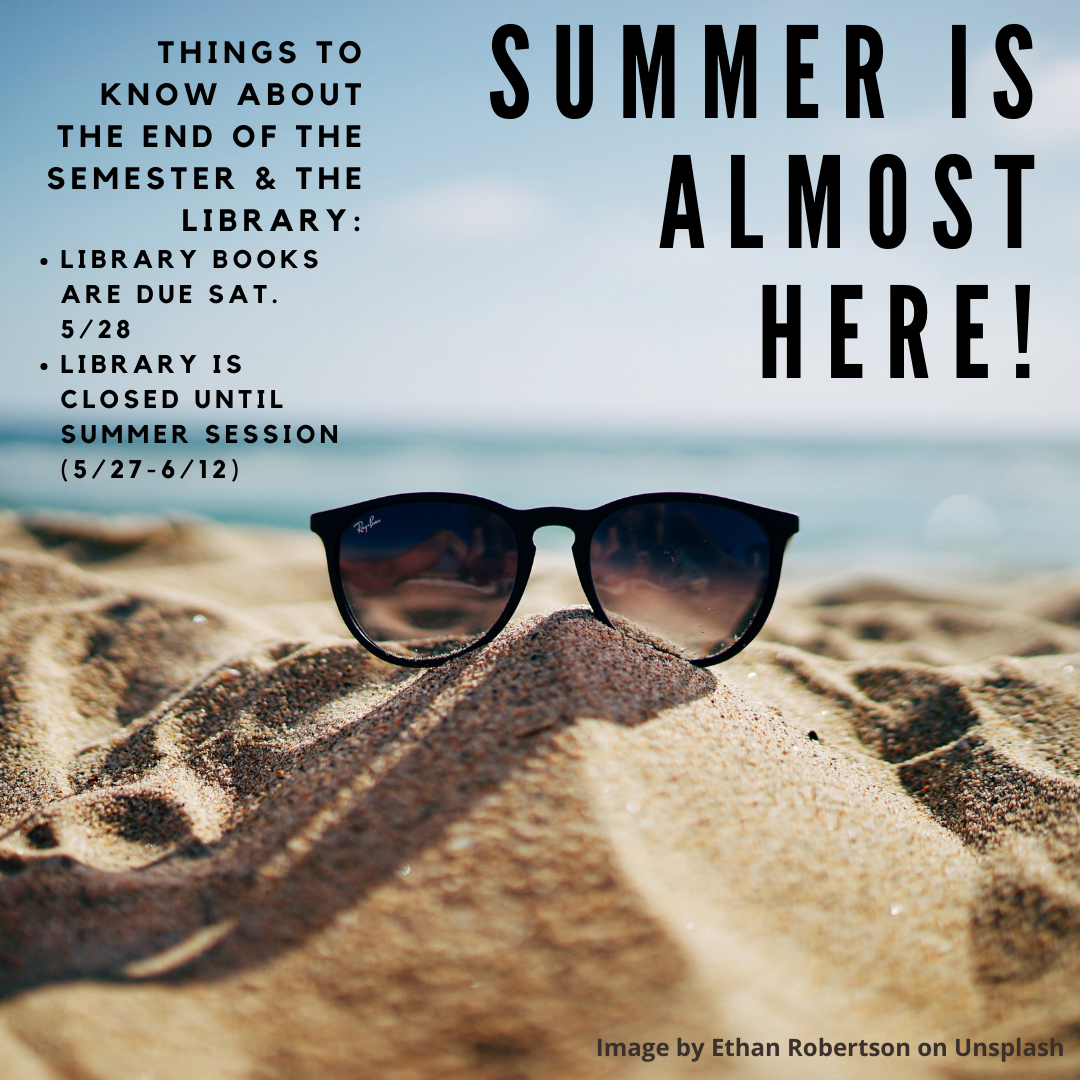
End of the Spring 2022! Library CLOSED 5/27 - 6/12


Congratulations on a successful 2021-22 academic year!  And a special shout out to all the OCC graduates!  

The end of the semester means the library will be closed until the start of Summer term on June 13th. This also means that all of your library books are coming due on the last day of the semester (Sat. May 28). 

The library will be CLOSED: Friday, May 27* through Sunday, June 12th. 

*Chat with a librarian will be available on Friday, May 27. 

Monday, January 31, 2022

Get Started Using the Library in Spring Semester


Wishing you a great start to the Spring Semester! 

  • The library building is closed until Monday, February 14th. 
  • Computer and device pickup and returns are available in the Library Lobby, Monday-Friday 10am - 1pm (starting Monday, Jan. 31st)
While we are teaching and learning remotely, we have many resources and services available to help you succeed in your classes.  We hope to see you soon!

Library Online Chat hours: 
Monday - Thursday: 8am - 8:00pm
Friday: 8am - 3:00pm
Saturday:  10:00am - 3:00pm
Sunday: CLOSED

Some key resources include: 
  • Ebook Collection:  You can search for e-books in our library catalog.  There are thousands of ebooks available through the library. You can download sections of books, highlight & annotate, and access citation information for the book. 
  • Print Books: Our physical collection are available to you! Start searching the library resources in OCC Discovery. 
  • Magazine, Newspaper, & Journal Articles: Use the Databases to find magazine, newspaper, and journal articles. Get started by going to Databases A-Z, and selecting a database by the subject area you need (or pick one of our favorite general databases, like Ebsco Power Search or ProQuest Central)
  • Streaming Videos: The OCC Library has thousands of streaming films, documentaries, and newsreels.  Get started by searching in Films on Demand or Kanopy Streaming Video. 
  • Library Workshops: Throughout the Fall semester online library workshops are available to learn the basics of using the library.  Come with your questions or just to learn more about how to conduct library research. Sign up online! 
  • Get Help: Librarians are available online for asking questions via chat (icon in lower right hand corner) or research appointments
  • Follow us on Instagram: Find us at @occ_library for info on the library, resources, and little bits of motivation. 

Monday, August 30, 2021

Welcome to Fall 2021!


Wishing you a great start to the Fall Semester! 

The Library is reopening! We are currently opened two days a week and continue to have online chat six days a week. We have many resources and services available to help you succeed in your classes.  We hope to see you soon!

Library hours: 
Monday - Tuesday: 10:00am - 6:00pm 

Library Online Chat hours: 
Monday - Thursday: 8am - 9:00pm
Friday: 8am - 3:00pm
Saturday:  10:00am - 3:00pm
Sunday: CLOSED


Some key resources include: 
  • Ebook Collection:  You can search for e-books in our library catalog.  There are thousands of ebooks available through the library. You can download sections of books, highlight & annotate, and access citation information for the book. 
  • Print Books: Our physical collection are available to you! Start searching the library resources in OCC Discovery. 
  • Magazine, Newspaper, & Journal Articles: Use the Databases to find magazine, newspaper, and journal articles. Get started by going to Databases A-Z, and selecting a database by the subject area you need (or pick one of our favorite general databases, like Ebsco Power Search or ProQuest Central)
  • Streaming Videos: The OCC Library has thousands of streaming films, documentaries, and newsreels.  Get started by searching in Films on Demand or Kanopy Streaming Video. 
  • Library Workshops: Throughout the Fall semester online library workshops are available to learn the basics of using the library.  Come with your questions or just to learn more about how to conduct library research. Sign up online! 
  • Get Help: Librarians are available online for asking questions via chat (icon in lower right hand corner) or research appointments
  • Follow us on Instagram: Find us at @occ_library for info on the library, resources, and little bits of motivation. 

Attention Faculty! Check out the New Faculty Services Guide!

Take a look at the new Faculty Services guide. The guide provides information about the library services that you may be most interested in, including library lectures, workshops, requesting library materials, and using library resources in your classes. 


Tuesday, February 2, 2021

Welcome to Spring 2021!

While the Library is physically closed, we have many resources and services available to help you succeed in your classes.  We hope to see you online! 


Library Online Chat hours are (Feb. 1 - May 29): 
Monday - Thursday: 8am - 9:00pm
Friday: 8am - 3:00pm
Saturday:  10:00am - 3:00pm
Sunday: CLOSED


Some key resources include: 
  • Ebook Collection:  You can search for e-books in our library catalog.  There are thousands of ebooks available through the library. You can download sections of books, highlight & annotate, and access citation information for the book. 
  • Print Books & DVDs - Curbside Pick Up: Our physical collection is still available to you! Curbside pickup is now available Monday-Thursday from 1:00 P.M.-3:00 P.M.  Sign into OCC Discovery to locate an item and request it. Staff will check items out to you upon pickup.  The pickup location is located behind the library, and the usual 10 item limit policy applies.  For information on how request a book, please contact the librarian through chat or click on the "help" button in Discovery.
  • Magazine, Newspaper, & Journal Articles: Use the Databases to find magazine, newspaper, and journal articles. Get started by going to Databases A-Z, and selecting a database by the subject area you need (or pick one of our favorite general databases, like Ebsco Power Search or ProQuest Central)
  • Streaming Videos: The OCC Library has thousands of streaming films, documentaries, and newsreels.  Get started by searching in Films on Demand or Kanopy Streaming Video. 
  • Library Workshops: Throughout the Fall semester 13 online library workshops are available to learn the basics of using the library.  Come with your questions or just to learn more about how to conduct library research. Sign up here! 
  • Get Help: Librarians are available online for asking questions via chat (icon in lower right hand corner) or research appointments
  • Follow us on Instagram: Find us at @occ_library for info on the library, resources, and little bits of motivation. 

Monday, August 17, 2020

Welcome to Fall 2020

Wishing you a great start to the Fall Semester! 

While the Library is physically closed, we have many resources and services available to help you succeed in your classes.  We hope to see you online! 

Library Online Chat hours are (Aug. 24 - Dec. 12): 
Monday - Thursday: 8am - 9:00pm
Friday: 8am - 3:00pm
Saturday:  10:00am - 3:00pm
Sunday: CLOSED


Some key resources include: 
  • Ebook Collection:  You can search for e-books in our library catalog.  There are thousands of ebooks available through the library. You can download sections of books, highlight & annotate, and access citation information for the book. 
  • Print Books - Curbside Pick Up: Our physical collection is still available to you! Curbside pickup is now available Monday-Thursday from 1:00 P.M.-3:00 P.M.  Sign into OCC Discovery to locate an item and request it. Staff will check items out to you upon pickup.  The pickup location is located behind the library, and the usual 10 item limit policy applies.  For information on how request a book, please contact the librarian through chat or click on the "help" button in Discovery.
  • Magazine, Newspaper, & Journal Articles: Use the Databases to find magazine, newspaper, and journal articles. Get started by going to Databases A-Z, and selecting a database by the subject area you need (or pick one of our favorite general databases, like Ebsco Power Search or ProQuest Central)
  • Streaming Videos: The OCC Library has thousands of streaming films, documentaries, and newsreels.  Get started by searching in Films on Demand or Kanopy Streaming Video. 
  • Library Workshops: Throughout the Fall semester 12 online library workshops are available to learn the basics of using the library.  Come with your questions or just to learn more about how to conduct library research. 
  • Get Help: Librarians are available online for asking questions via chat (icon in lower right hand corner) or research appointments
  • Follow us on Instagram: Find us at @occ_library for info on the library, resources, and little bits of motivation. 

Get Help from a Librarian

The librarians are online and ready to help you with your information needs and research! 
Photo by Jon Tyson on Unsplash

Online Chat Reference: Find the chat icon in the lower right hand corner of our website to get help finding books, articles, or other information!  Librarians are online: 

Monday - Thursday: 8:00am - 9:00pm
Friday: 8:00am - 3:00pm
Saturday: 10:00am - 3:00pm
Sunday: CLOSED

Online Research Appointments: If you have a more in depth research question, just prefer talking to a librarian, or want a dedicated time for you, sign up for a research appointment.  These research appointments are scheduled for either 15 or 45 minutes.  Find a time that works for your schedule on our sign up form, and make the request!   

Library Workshops: Twelve times throughout the semester we offer online library workshops. They introduce the library's services and resources, and focus on how to identify and access the various library and information resources; to identify scholarly (peer-reviewed) journals; to search discipline-specific and advanced electronic resources; to do research on the web; to evaluate search results for credible resources; to cite their sources in either MLA or APA styles; and to understand how the proper use and citation of library and information resources helps avoid plagiarism. Check out the dates available and sign up for the time of your choice! 

Fall Online Library Workshops

The library provides workshops for students to learn how to do library and information research. The goal or mission of these workshops is based on the ultimate goal or mission of Information Literacy, which is that students learn library and information research skills that make them independent and life-long learners. Extra credit will be available if requested by your teacher.  

Description:

These 60 minute extra-credit workshops, held online, will teach library and information research skills using print and electronic resources. They will also introduce the library's services and resources. Student will learn to identify and access the various library and information resources; to identify scholarly (peer-reviewed) journals; to search discipline-specific and advanced electronic resources; to do research on the web; to evaluate search results for credible resources; to cite their sources in either MLA or APA styles; and to understand how the proper use and citation of library and information resources helps avoid plagiarism. 

Fall 2020 Workshop Schedule 

(Click on links below to sign up for the workshop)

September
Picture of person sitting on a stack of books.
Image by Pexels at Pixabay
Wednesday, Sept. 16, 11:00am-12:00pm
Tuesday, Sept. 22, 3:00-4:00pm
Wednesday, Sept. 30, 1:00-2:00pm

October
Tuesday, Oct. 6, 5:00-6:00pm
Saturday, Oct. 10, 11:00am-12:00pm
Thursday, Oct. 15, 1:00-2:00pm
Tuesday, Oct. 20, 3:00-4:00pm
Monday, Oct. 26, 6:00-7:00pm

November
Tuesday, Nov. 3, 5:00-6:00pm
Wednesday, Nov. 4, 3:00-4:00pm
Saturday, Nov. 7, 11:00am-12:00pm
Thursday, Nov. 19, 3:00-4:00pm

For More Information:

Contact Erin Gratz at egratz@occ.cccd.edu or click on the Chat with a Librarian icon in the lower right corner. 

Student Learning Outcomes:

When a student has completed these library workshops, they will be: 

  • Aware how to identify, access, and evaluate credible library and information resources using a variety of search strategies.
  • Aware how to correctly cite library and information resources and avoid plagiarism.

Wednesday, May 13, 2020

Extended Chat Hours for Finals Week

Photo by Sarah Kilian on Unsplash


Chat with a Librarian hours are extended for Finals week.  Have a late night question? We will be online until midnight.

Chat hours through Finals Week are:   

Wed., May 13.  8am - midnight
Thurs., May 14. 8am - midnight
Fri., May 15. 8am - 3pm
Sat., May 16. 10am-3pm
Sun., May 17. CLOSED
Mon., May 18. 8am - midnight
Tues., May 19. 8am - midnight
Wed., May 20. 8am - midnight
Thurs., May 21. 8am - 9pm
Fri., May 22. 8am - 3pm
Sat., May 23. 10am - 3pm

Monday, April 20, 2020

NEW! Request Books and Textbook Chapters

Image of a stack of books    
Photo by Studio Media on Unsplash
The library is rolling out two new services for you!  You can now request physical books in the library collection to be mailed to your home and, if a textbook on reserve is not available freely online, you can request a chapter to be scanned and emailed to you.  Both of these services are free to OCC students, faculty, and staff.

To place a request, click on Search the Library to get started, and then sign in (located in the upper right corner) with your OCC username and password.  For step-by-step instructions, visit the Getting Started guide's Requesting Books & Scanned Chapters page.

Number of Requests and Timelines

For physical books, you can request up to 5 books to be mailed to you.  This service will take 5-10 days depending on the time it takes for USPS delivery. Note: Oversize book requests potentially may be cancelled due to packaging limitations. 

For scanned chapters, you can request up to 10 scans (but no more than 2 chapters from the same book).  This service will take approximately 48 hours to be emailed to your OCC email.  

Wednesday, April 15, 2020

Holds on Your Account?

Icon reads: Hold On Your Account? Do you have a hold on your account due to library fines or overdue books? If so, please Chat with the Librarian (icon in the lower right hand of the library website) with your information (Name, student ID, and OCC Email) and your situation, and we will put you in touch with the appropriate staff member.   You can even leave a message for us after chat hours. 

Tuesday, April 7, 2020

Search for Your Textbooks Online!

Picture of a book with letters flying out of the pages.Yes, that's right! Many of the textbooks for OCC courses have been made available freely online.  (If you checked out your textbook from the library, this post is for you!)  Thanks to a number of companies have given access to online textbooks due to the COVID-19 crisis.

Follow these steps to see if your textbook is available online:

  1. Check the library catalog or free textbook list. Use the "Available Online" filter to see online books in the library search. 
  2. If your textbook is NOT available online here, look for the title of the book in the Vital Source and RedShelf lists. 
  3. If your textbook is listed on the Vital Source list. You will need to use your OCC email to sign up for an account. From there, search the site for the title of the textbooks.
  4. If your textbook is listed on the Red Shelf list. Search for the title of the textbook in RedShelf for free access.
For more thorough directions, visit the Getting Started guide. 

Monday, March 30, 2020

Need Help? Chat with a Librarian

While the library remains closed, the OCC Librarians are here to help you! 

A librarian is available through chat (see the icon in the lower right hand corner of the library webpage).  We have the capability to screen share and video conference through Zoom with you, if you have a more in depth question.  It can be a simple question or a robust research question to help you find ebooks and electronic resources to use in your upcoming papers or projects. 

Chat with a Librarian Hours: 

Monday - Thursday:  8am - 9pm
Friday: 8am - 3pm
Saturday: 10am - 3pm

Friday, March 13, 2020

Getting Started with Using the Library (During COVID-19)

Have your classes gone online? Are you unsure how to get started searching for resources in the library? 

Then this Getting Started guide is for you.  

Students

View videos on how to search for books, articles, videos, and market research.  There are also recommendations for databases in which to search, and citing in MLA style. 

Faculty

Are you interested in having a library lecture for your classes, but you've moved your classes online?  There are options for you.  We offer online lectures, librarians being embedded in Canvas courses, or you can simply introduce this guide to your students along with how to access the chat with a librarian feature.  See the guide for more information.  

Monday, February 24, 2020

Using the New Library Search Tool

Have you used OCC Discovery yet? 

The new OCC Discovery search tool has been launched for over a month now.  Have you given it a try yet?  The goal of this blog is to highlight some of the features that may be helpful to you in your searches.

New Navigation Links on the Website

One of updates you may have noticed is the links on the left hand navigation have changed.  The key search options are: Search the Library and Databases A-Z. 
Screen shot of the left hand navigation for the library website.  Highlighting Search the Library and Databases A-Z links.

Search the Library 

The Search the Library link will take you into OCC Discovery.  From here you can search for:
  • Textbooks for your courses
  • Print books and e-books
  • Films and documentaries
  • and many of the library's subscriptions to newspapers, magazine, and journal articles.  
While this sounds like a one-stop shop, in order to get to the results you want it is essential to use the filters available to help you narrow your search.  (If you have conducted a search, you may have received hundreds of thousands. . . or even millions of results!) These filters or facets can dramatically help in finding the resources you need.   Let's look four of these way to filter just a little more.  (See the number on the image to the right which corresponds with the description below)  

Let's say you are looking for books containing monologues, you do a search, and you receive results for articles, books, films, and more.  

    Discovery interface highlighting the filters to help narrow results
  1. At the top of the screen, the number of results you have received for your search appears.  While the number is not necessarily important, not many of us will look through 30,000 results to find what we want.  (The example to the right shows over 50,000 results.) The next three ways to filter can help reduce that number.
  2. You have the option to search: Everything, Articles, Library Catalog, or Textbooks.  Choosing one of these, besides Everything, is a great way to get started narrowing.  Everything: searches everything in Discovery. Articles: searches the articles and book chapters from our database subscriptions (so you will get more than just articles).  Library Catalog: searches books (print and electronic) and films.  Lastly, Textbooks searches only those items on reserve for your courses (textbooks, bone boxes, etc.)
  3. The Availability option can also help you narrow.  Those that are particularly helpful are Peer-reviewed Journals (identifies items that are peer-reviewed) and Held by library (identifies items that are physically within the library).
  4. Resource Type can very quickly limit your results to the type of resource you are looking for.  In the example above, the student needed a monologue book.  By selecting Books from the resource type, only books will appear in the results list.    

Databases A-Z

Screenshot of Databases A-Z list.  Pointing out the alphabetical list and the subject dropdown.
The other new link is Databases A-Z.  

This takes you to a list of all the databases (or electronic resources) available through the OCC Library.  This is a phenomenal resource.  

If you know the name of the database you want (i.e. Films on Demand), you can go directly to the letter the title begins with.  Or if you aren't sure which database you want, but you know the subject (i.e. psychology, history, business), you can select that from the drop down options.  Additionally, there are links to the most popular databases to get you quickly to the most used databases. 

Interested in learning more about the library? Attend one of the library workshops! No reservations needed! 


Monday, January 27, 2020

Welcome to Spring 2020!


Wishing you a great start to the Spring Semester! 

Library hours are: 
Monday - Thursday: 7:30am - 9:00pm
Friday: 7:30am - 3:00pm
Saturday:  10:00am - 3:00pm
Sunday: CLOSED


Some key resources include: 
  • Textbook Collection:  You can look up the courses you are in through our library catalog, and get the call number.  Then take the call number to the circulation desk.  You can check out a textbook for 2 hours to be used in the library. 
  • Computers: The library has a large computer lab.  It can be used to write papers or print out a paper quickly.  
  • Scanner: The book scanner is available for you to use freely.  It scans to a USB drive, so make sure to bring one with you -- if you don't own one -- don't worry -- you can borrow one from the Circulation Desk. 
  • Get Help: Librarians are available at the Reference Desk whenever the Library is open.  Stop by to get help with a research question, locating a textbook call number, or finding the information you need.  

Friday, December 6, 2019

A new way to search the Library is coming in January!


The OCC Library is implementing a new library catalog and search tool over the Winter Break.  It allows you to search print and e-books, streaming films, videos, articles, and electronic resources in one place.


When searching in OCC Discovery you are searching:
  • Books, DVDs, and other physical items found in the Library
  • Much of the library's online journal, magazine, and newspaper content
  • Streaming films and documentaries
What else can I do with OCC Discovery?
  • Set up your own account with My Account.
  • Create favorites lists
Interested in more information?
·      Visit the OCC Discovery guide
Students:
·      Attend a library workshop during the Spring semester (Dates are coming soon!)
·      Stop by or call the Reference Desk to talk to a librarian to learn more
Faculty:

·      Schedule a library lecture during Intersession or Spring to introduce your students to the new search interface
·      Set up a one-on-one meeting with a librarian or call the Reference Desk at (714) 432-0202 to learn more.